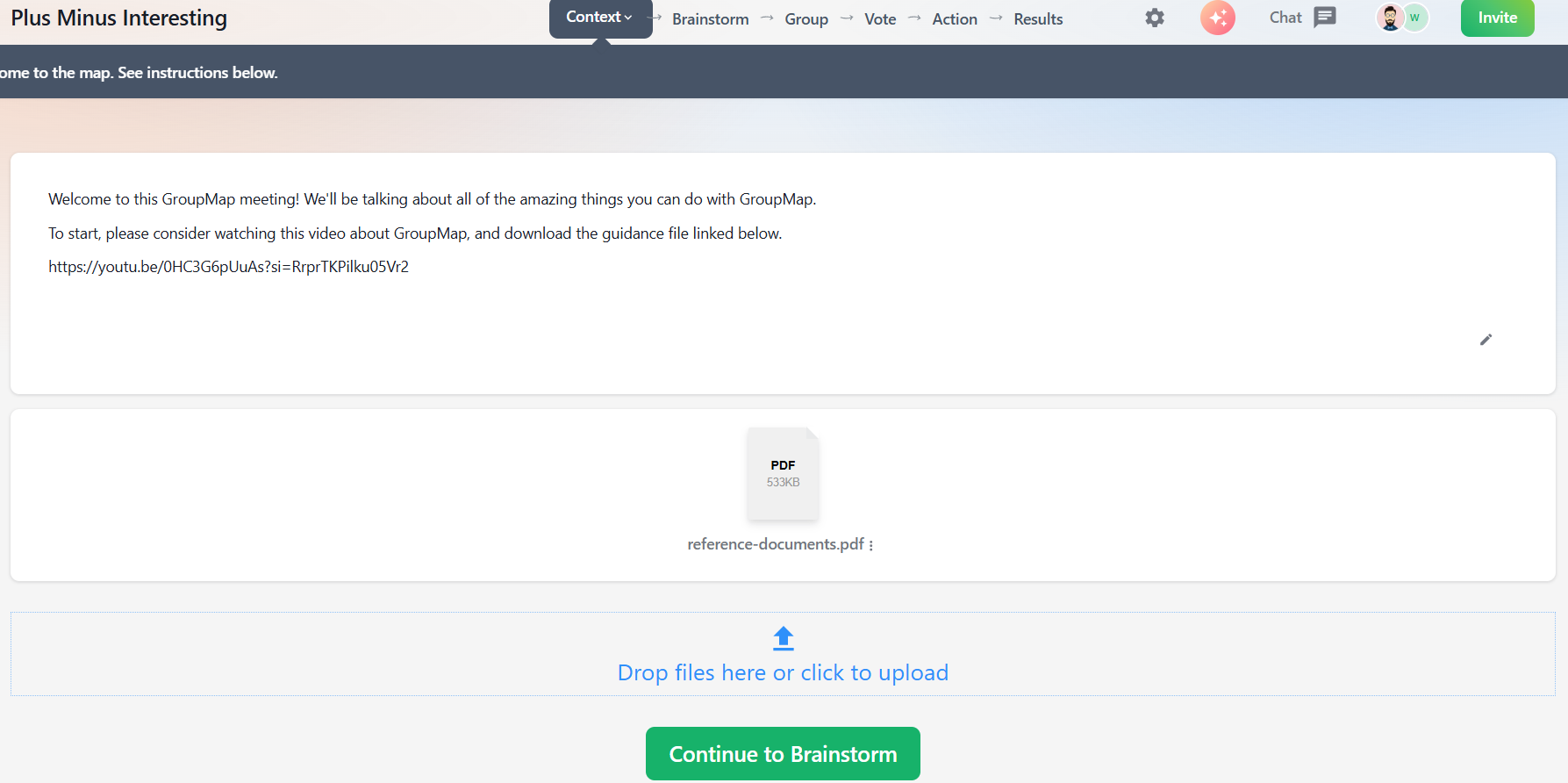
Add CONTEXT
You must be a Facilitator to add or customize this process step.
Context lets facilitators add content to a map to help set up an activity. This can include background information, instructions, links to relevant websites, files, images, and other supporting materials.
Once added, participants can go back to this step throughout the activity, while facilitators can update or attach extra resources as needed.
To add or customize a CONTEXT step
1. Open the map customization page (see Customize your map).
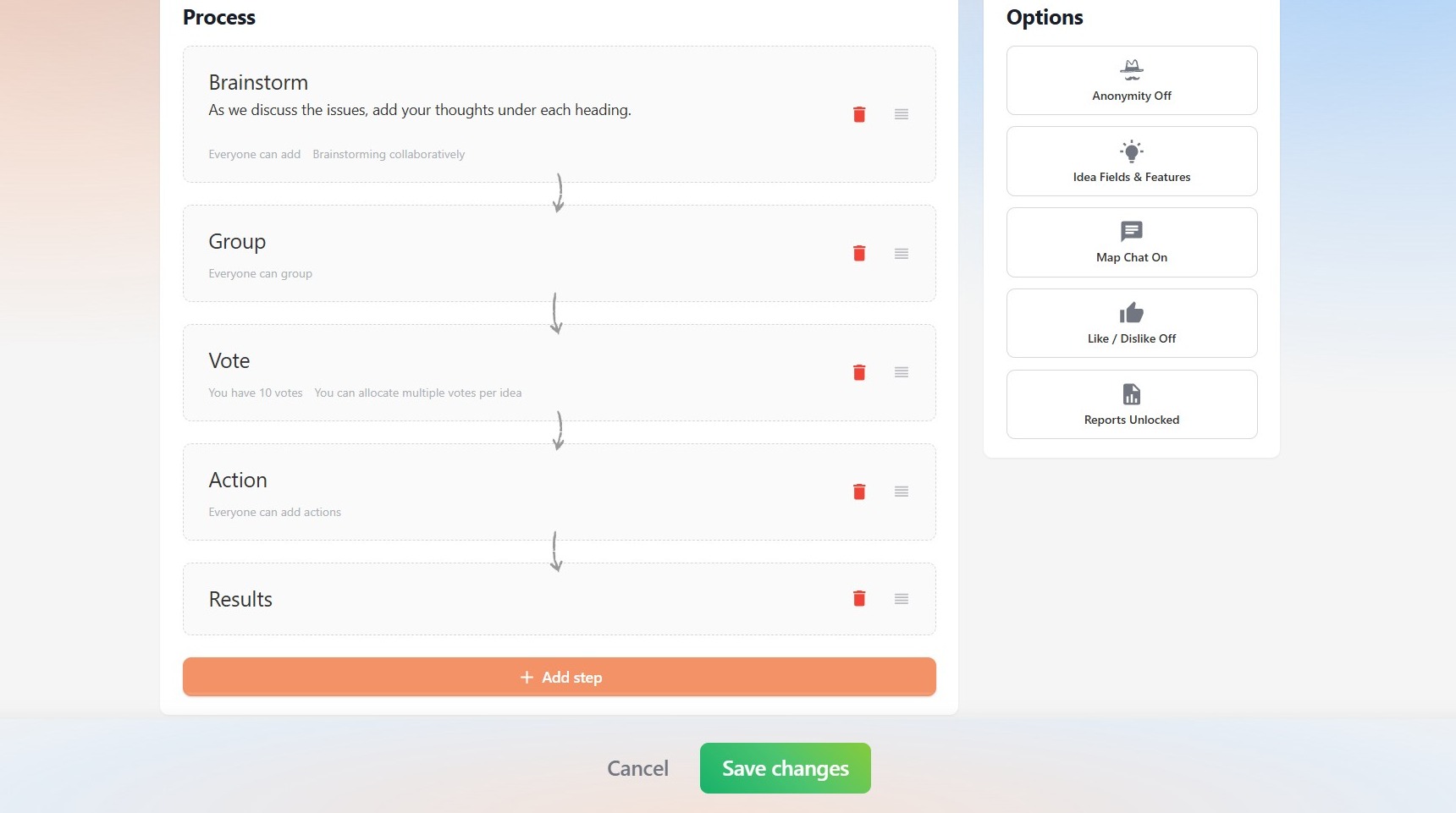
2. Under Process, click Add step.
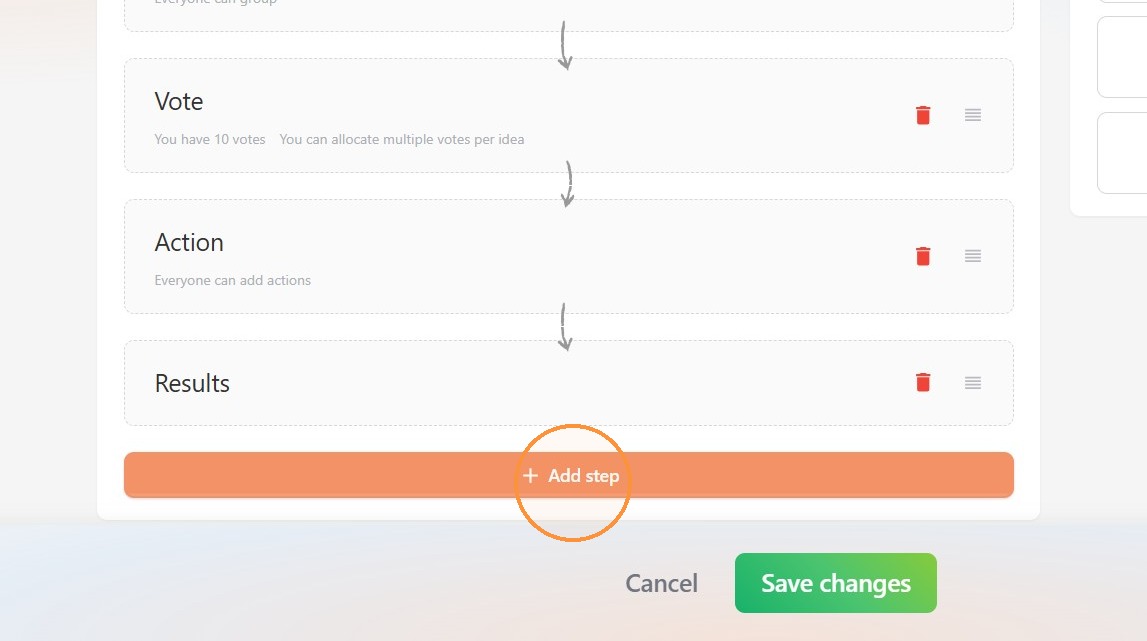
3. Select Context.
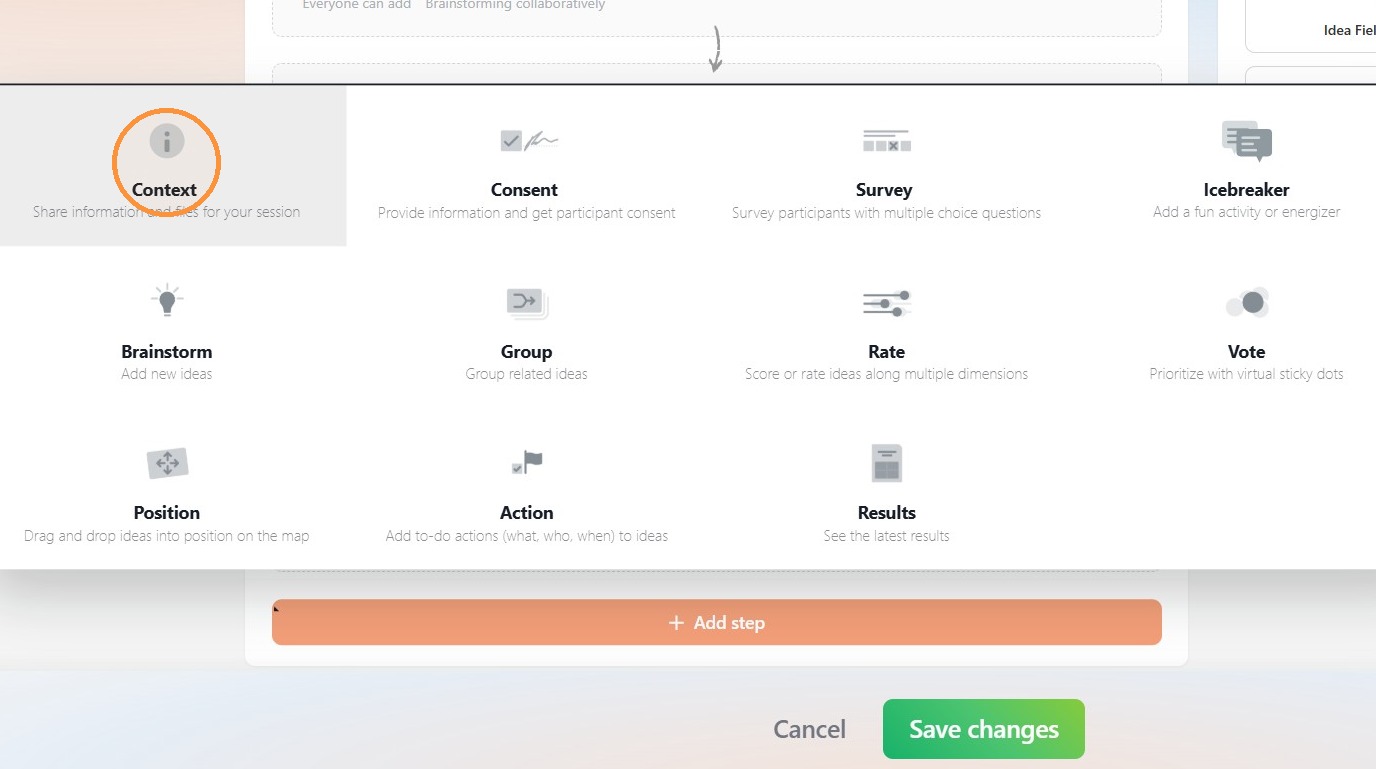
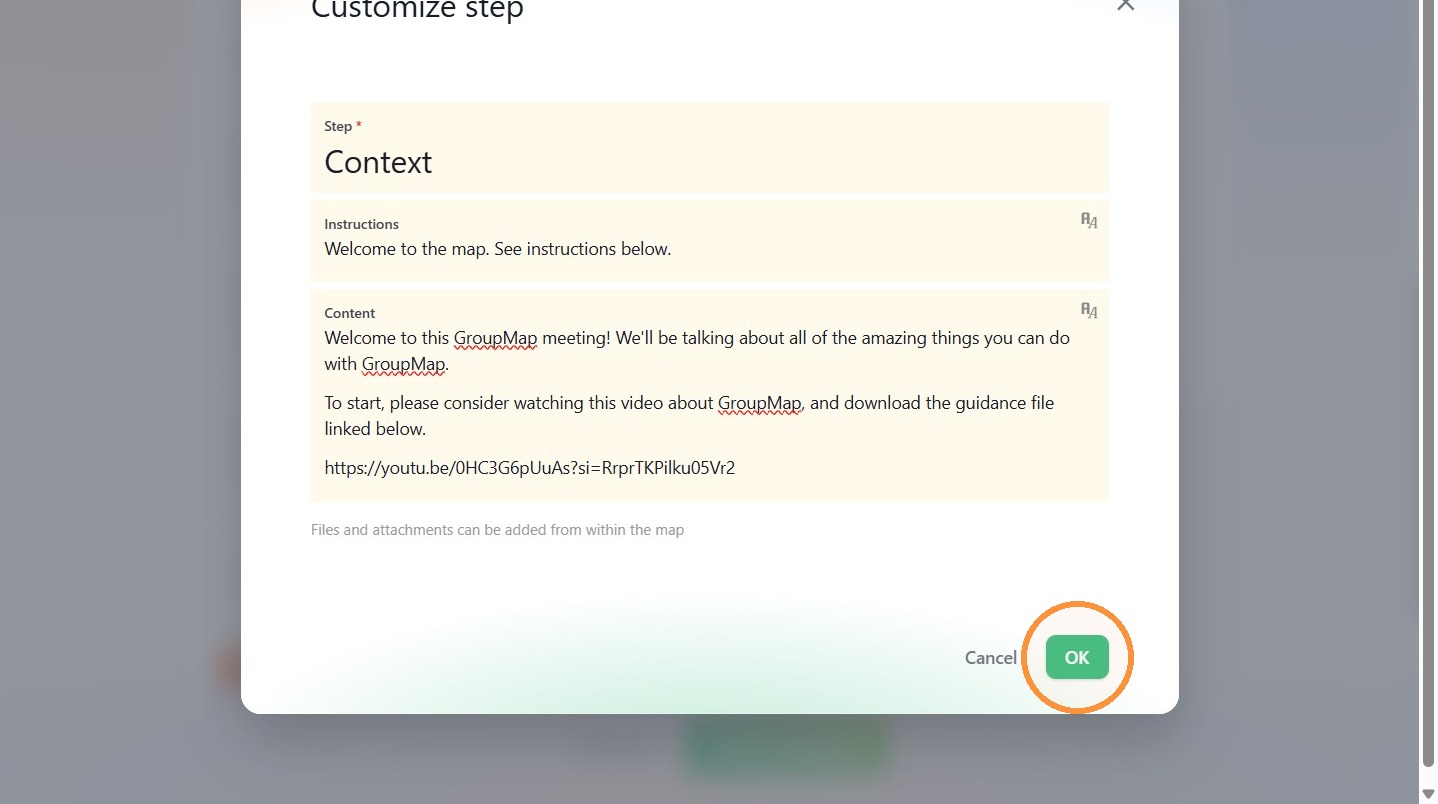
4. Configure the Context step details.
When ready, click OK.
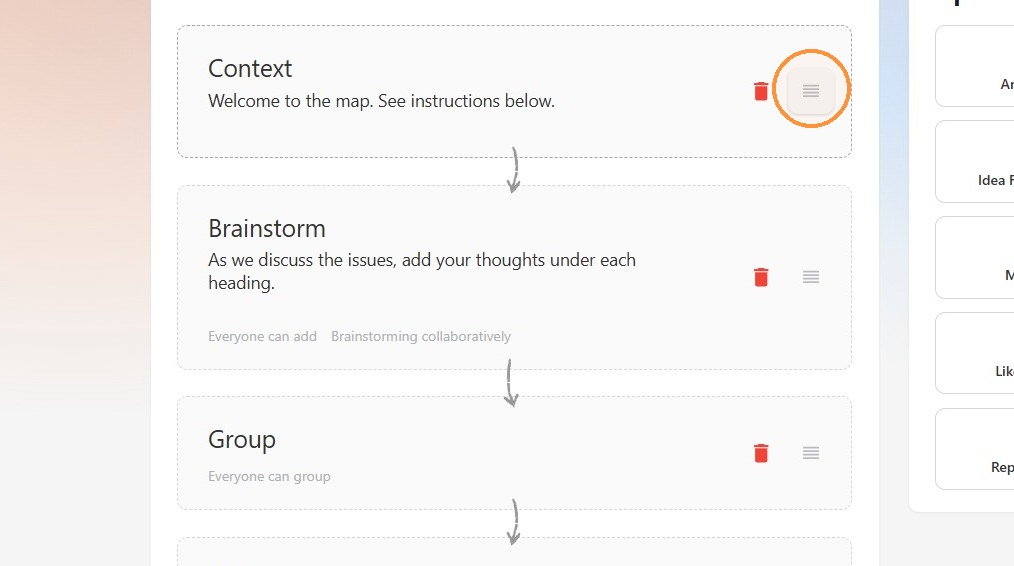
5. Click on the Hamburger icon (right) to drag and drop the step into position.
6. When added as the first process step, participants will see a Context screen when they join the map.