
Using GroupMap during a video call
GroupMap does not include audio or video calling. Run your call in your usual tool, such as Zoom, Microsoft Teams or Google Meet, and open your map in a web browser alongside it.
You can add your call's link to the map, so participants can join the call from inside GroupMap.
You must be a Facilitator to add a video conference link.
To add a video conference link to a map
-
Open the map.
-
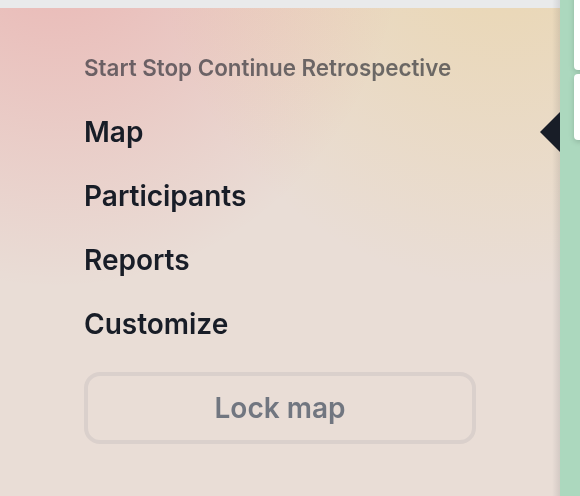
Click the menu icon (top left), then click Customize.
-
In the Information section, paste your meeting link into Video conference link.
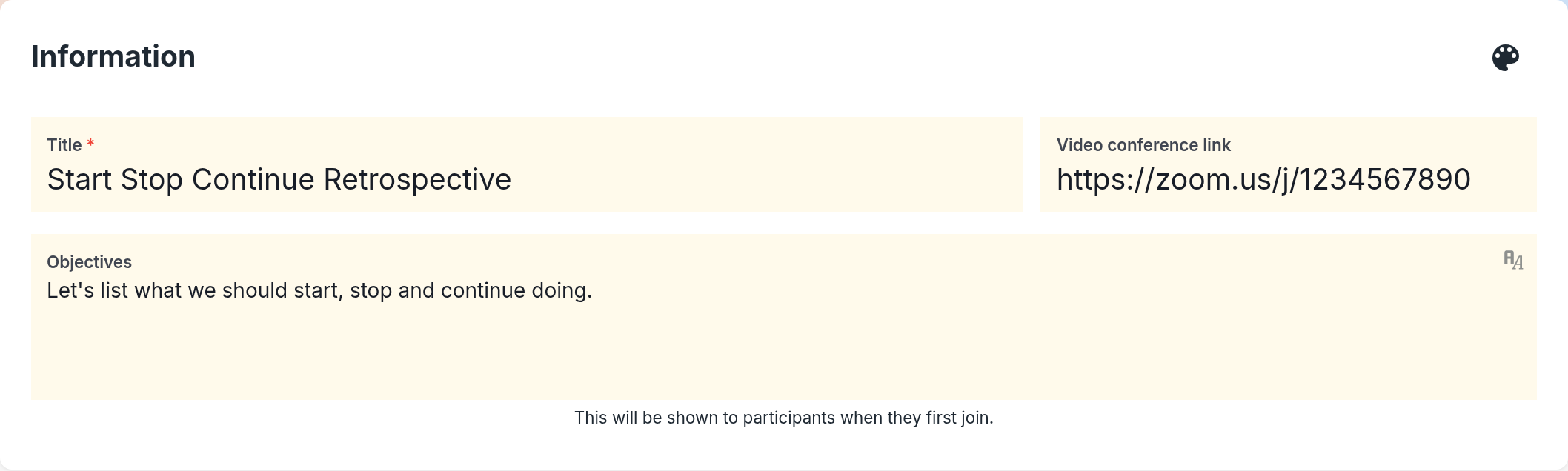
- Click Save changes.
To join the call from a map
-
Open the map.
-
Click the video icon at the top of the map. On a smaller screen, click the more options icon (three dots, top right) instead.
- Click Join video conference. The call opens in a new browser tab.

Tips for running GroupMap in a call
- Share the map link in the call's chat so everyone can join quickly. See Inviting participants.
- Use Bring all participants here to keep everyone on the same step while you talk it through. See How to move participants to a map or process step.
Would you like GroupMap to work more closely with your video call tool? Let us know: Suggest a feature.