
Suggest a feature
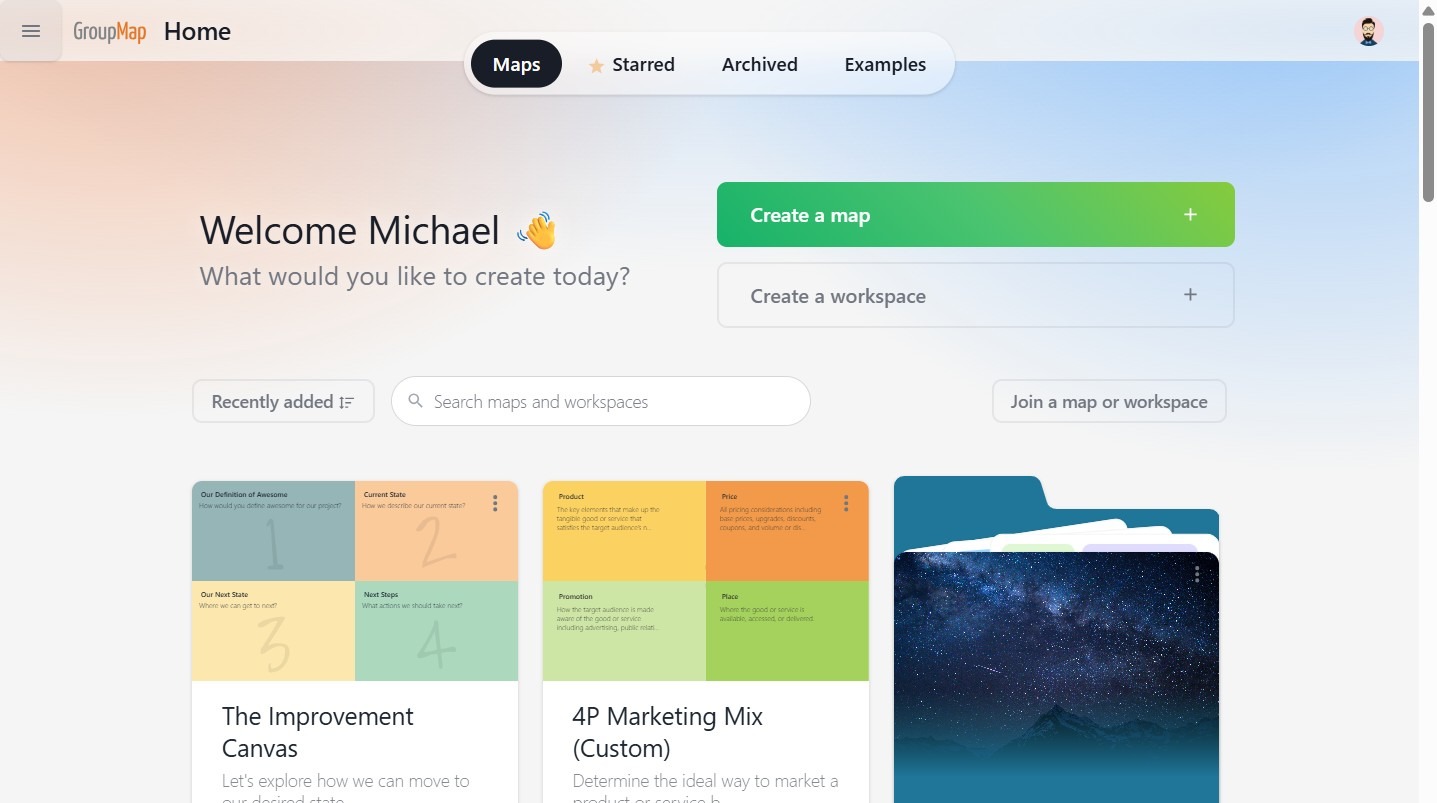
1. Click on the navigation icon (top left).
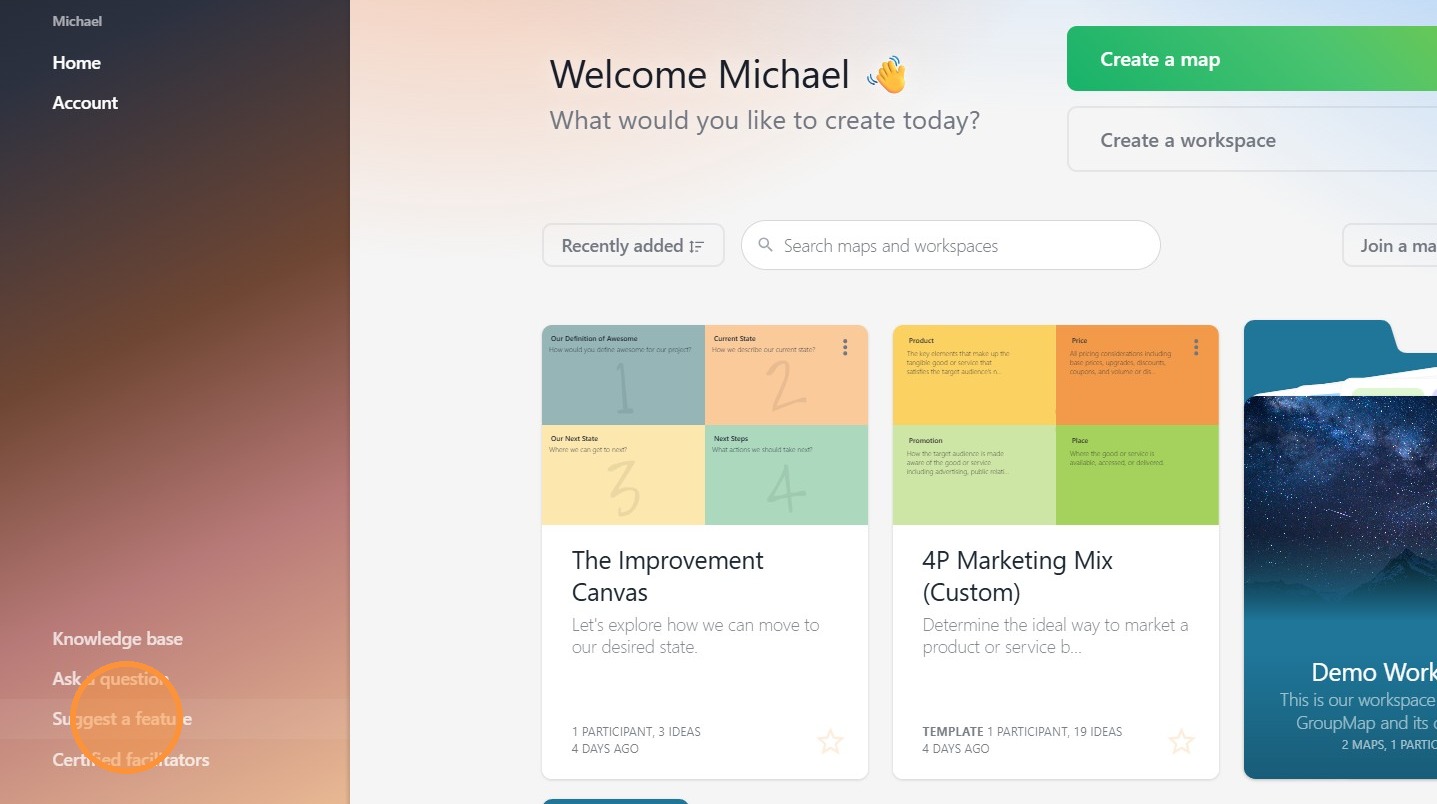
2. Select Suggest a feature (bottom of sidebar menu).
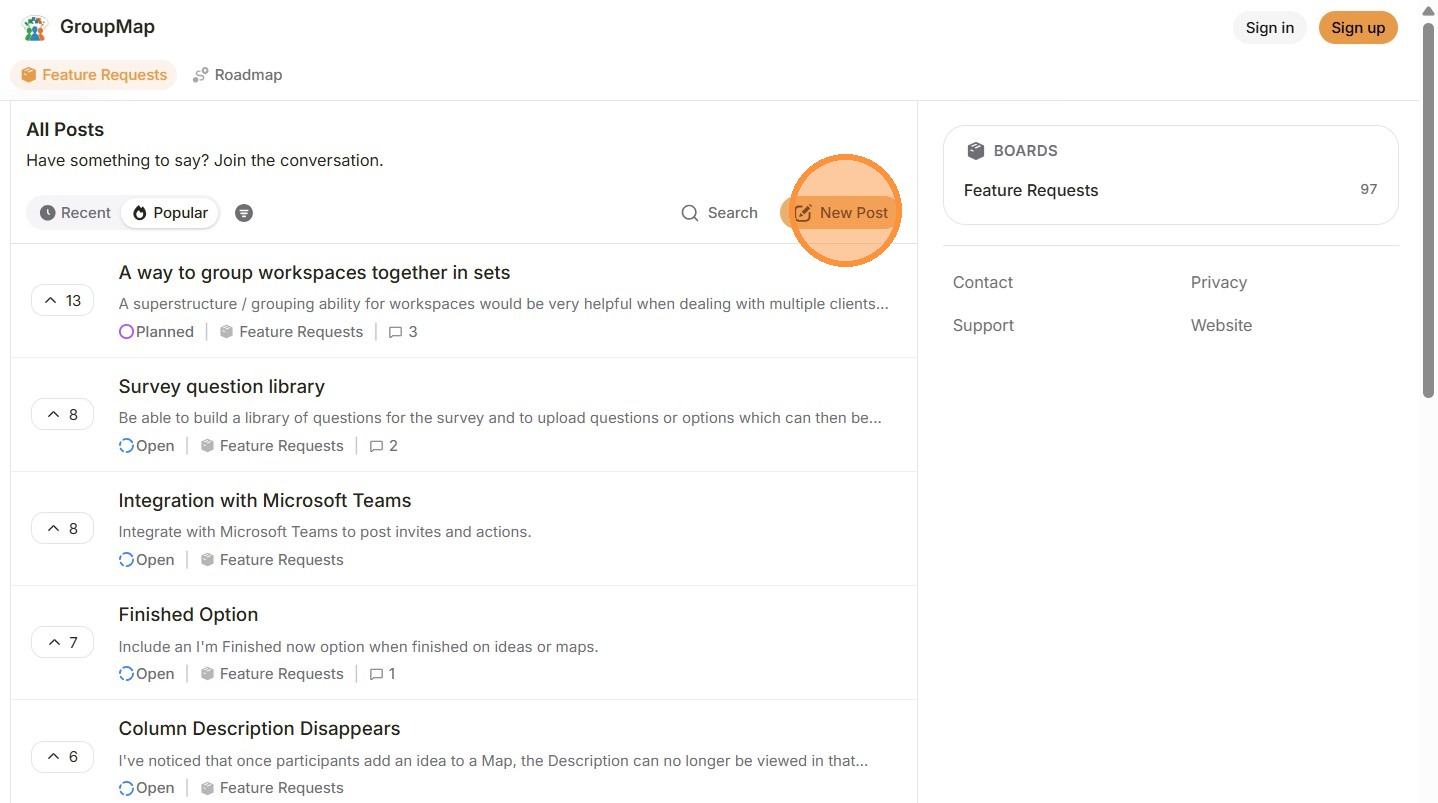
3. You will be redirected to our feature request page.
From here, click New Post (top right).
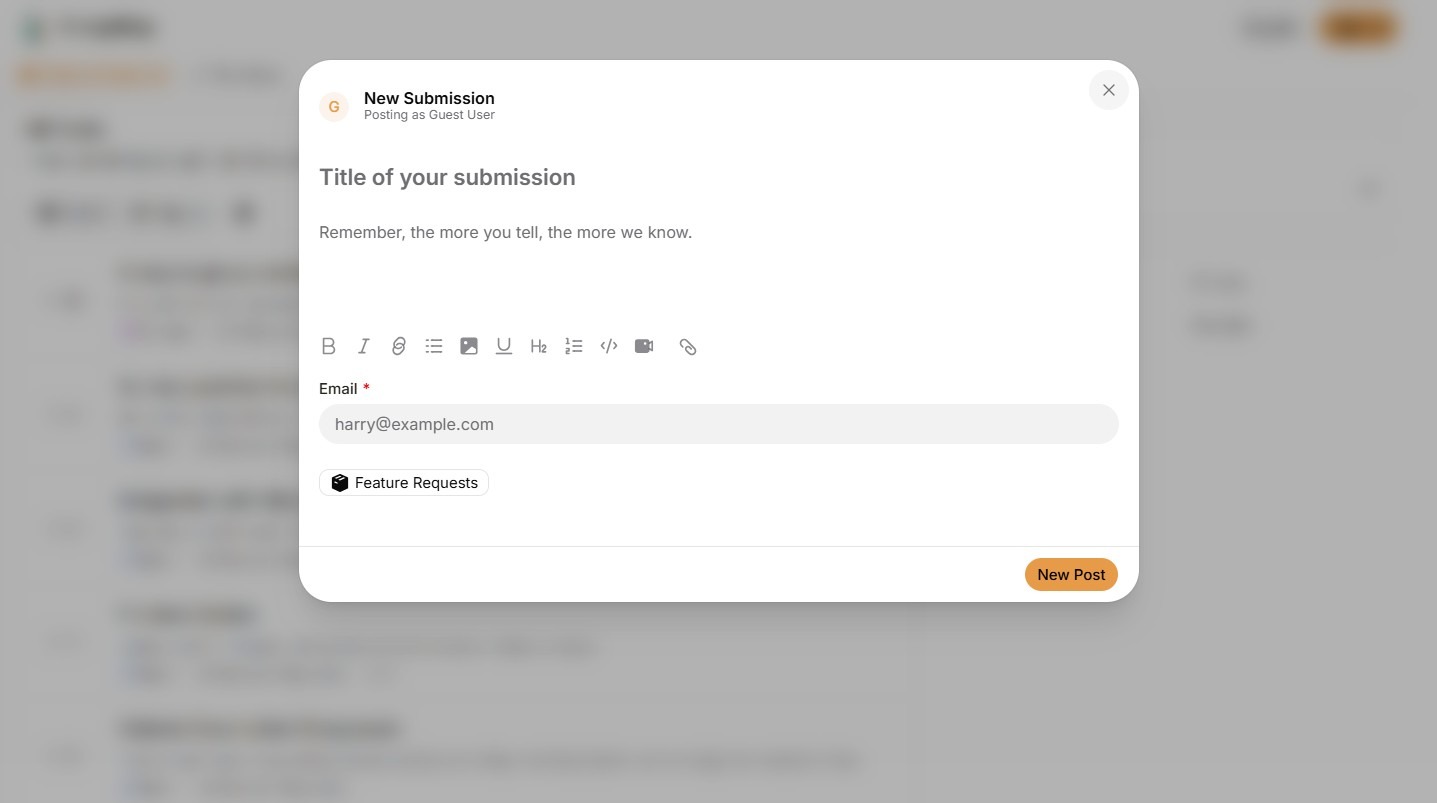
4. Enter the details of your feature request into the submission card.
5. Before submitting, view Similar Posts to see if your feature has already been requested.
If your feature has been requested, then you do not need to request it again. Instead, you can upvote the existing request, increasing its visibility.
When you are ready, click New Post.

GroupMap will review your feature suggestion as part of our product planning process.