
AI Group Suggestions
NOTE: AI facilitation features are only accessible to map Facilitators. Participants do not have access to these features.
GroupMap can utilize the power of AI to help suggest potential groups of similar ideas submitted within your maps.
How to Use AI Group Suggestions
-
Start a map
Begin your brainstorming session by selecting a specific template you wish to use for your session.

-
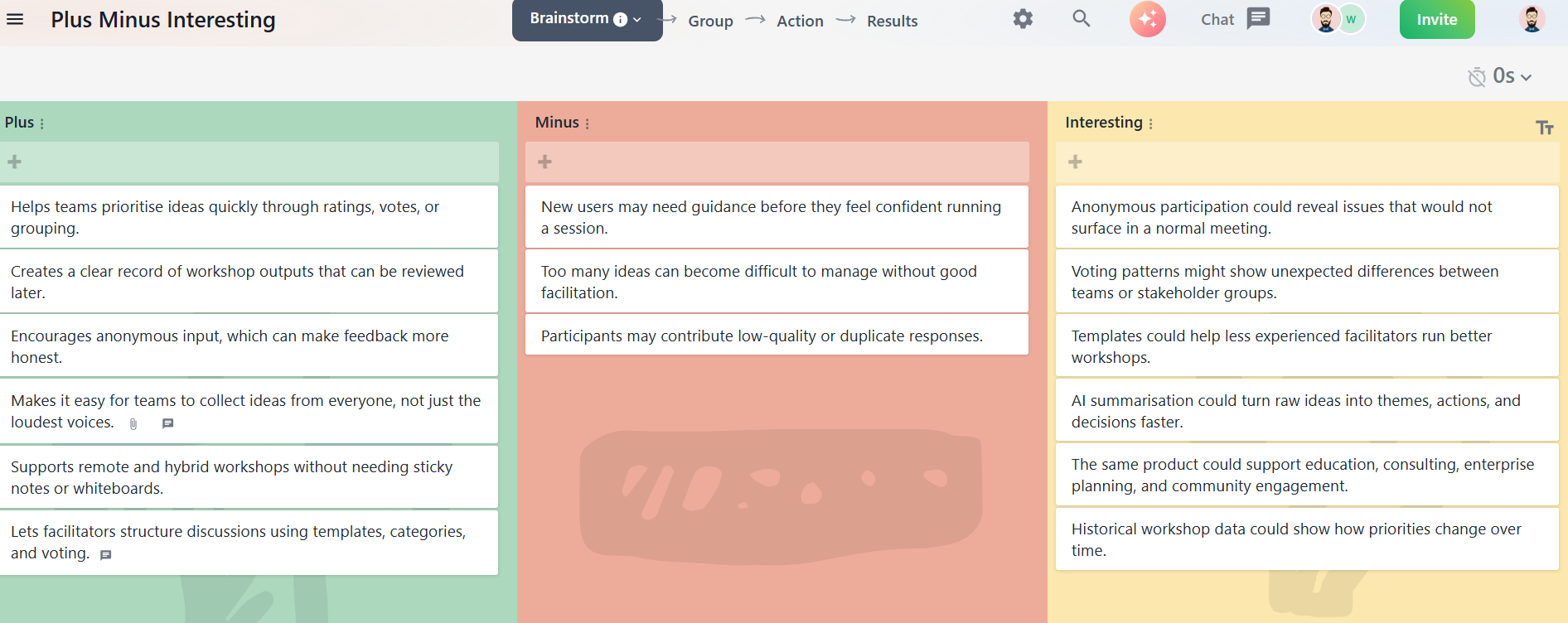
Collect ideas during the Brainstorm step
Let participants submit their thoughts freely in their respective columns, categories, or simply a blank canvas.
-
Proceed to the Group step
Once you're ready to organize ideas, move on to the Group step of your process (to configure this step, see GROUP related ideas).

-
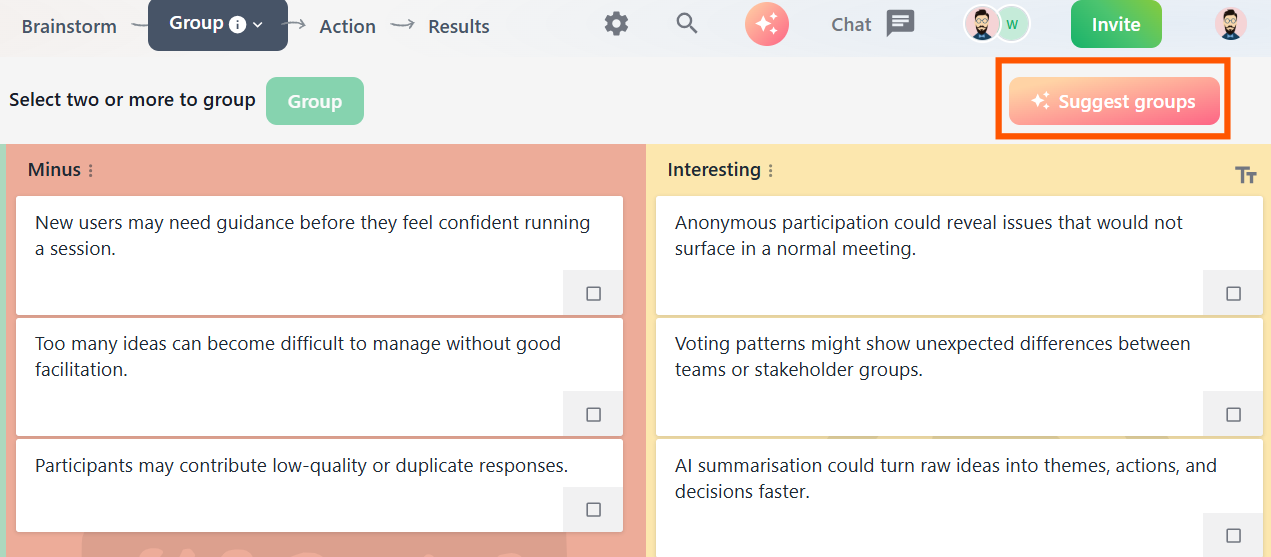
Click “Suggest groups”
You’ll see a button labeled Suggest groups in the grouping toolbar. Click it to let the AI automatically analyze and cluster similar ideas.
-
Review and refine
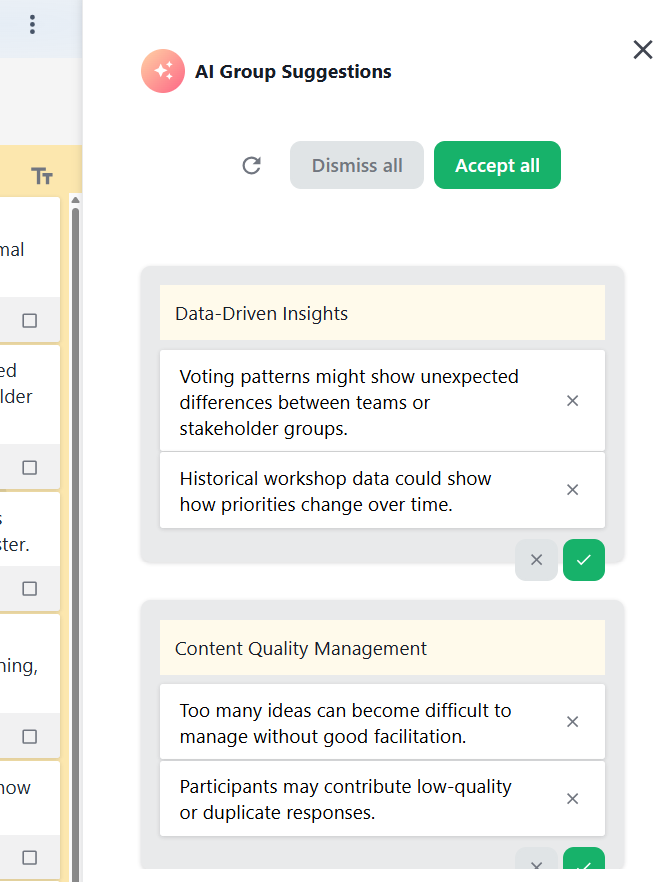
You’ll see AI-created groups appear to the side. You can rename, adjust, or accept/reject ideas manually if needed—maintaining full control over the final arrangement.
-
Discuss with confidence
With grouped ideas, your team can now focus discussions around broader themes and shared insights, rather than individual contributions.


AI Group Suggestions was previously called AI Grouping.
Looking for the AI chat that summarizes your map and answers questions about it? That’s Atlas, GroupMap’s AI co-facilitator.