
Updating credit card or payment details / Failed payments
You can update the credit card details associated with your GroupMap subscription at any time via your account settings.
To update your card details
-
Log into your GroupMap account at https://maps.groupmap.com/
-
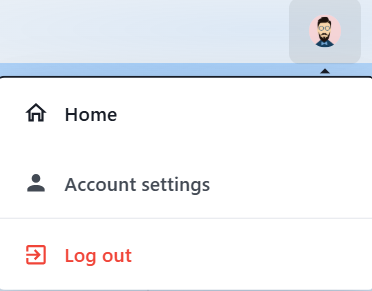
Click on your avatar (top right). Select Account settings.
-
Under Account, choose Billing.

-
Under Billing, select Update payment method. From here you will be able to update the card details associated with your GroupMap account.

Failed payments
If a payment fails due to insufficient funds or blocked accounts, GroupMap will automatically retry the transaction at least three times over the course of a week.
If these attempts remain unsuccessful:
- Your access to subscription features may be restricted.
- You will need to log in to your GroupMap account, update your credit card details, and manually re-subscribe to your desired plan to restore full access.
We recommend checking your billing email for any notifications if payment issues arise.